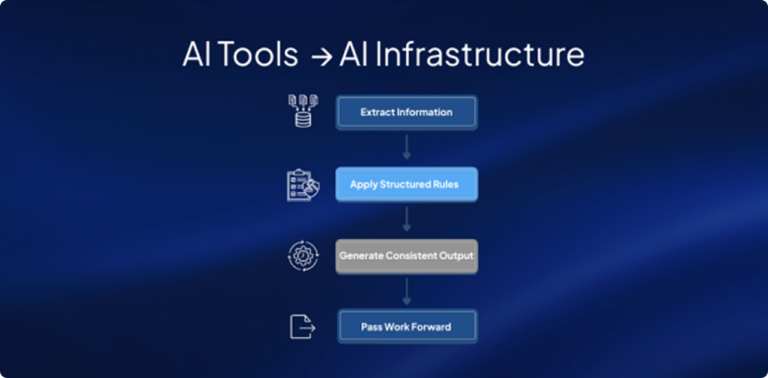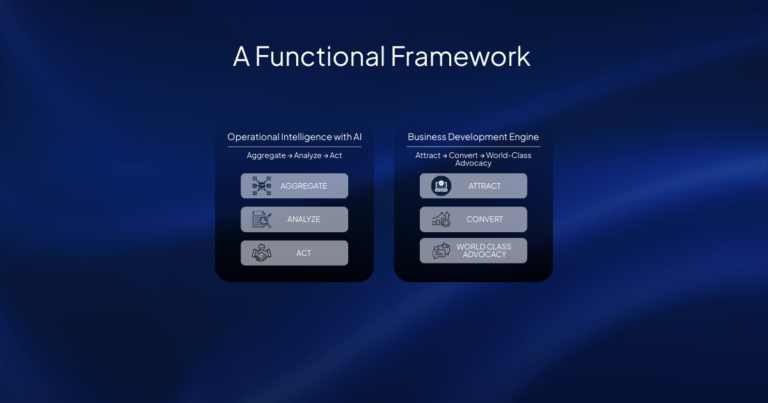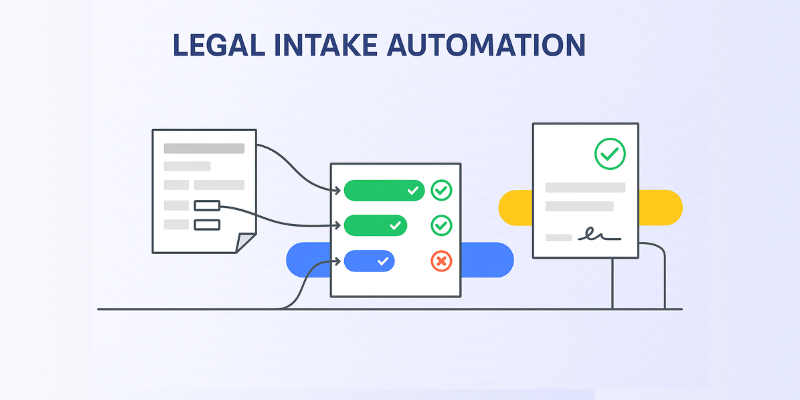
Legal intake automation connects inquiry capture, qualification, routing, follow-up, document preparation, and reporting in one reviewable workflow. The goal is not to remove professional judgment. It is to give attorneys and intake staff a consistent process, a complete record, and a clear hand-off at every stage.
Written by Frank Goortani. Editorial review by the FasterOutcomes Legal AI team.
Map the Legal Intake Workflow Before You Automate It
Automation works best when the firm first agrees on what should happen from the moment a prospective client makes contact. Map the current process, identify the decisions that require an attorney, and document what information must be present before a matter can move forward.
A practical legal intake workflow usually includes:
Inquiry capture: collect contact details, practice area, deadlines, opposing parties, and the reason the person is seeking help.
Conflict and eligibility checks: route the information needed for the firm’s established review process.
Qualification: organize the facts against the firm’s matter criteria without presenting an automated decision as legal advice.
Professional review: give the responsible attorney a concise record, the source responses, and any missing information.
Engagement or referral: record the decision, send the appropriate next step, and preserve a traceable history.
Start with one practice area and one accountable owner. A bounded workflow is easier to test than a firm-wide redesign, and it gives the team a baseline before expanding.
Qualify and Route New Matters Consistently
A structured form can adapt its follow-up questions to the type of matter while keeping the core record consistent. A family law intake, for example, may need court dates, current orders, children, financial issues, and immediate safety concerns. A personal injury intake may need incident details, treatment status, insurance information, and limitation dates.
The workflow should distinguish between information collection and professional judgment. Rules can identify missing fields, route urgent items, and prepare a summary. Attorneys decide whether the firm can act, what advice to provide, and what moves forward.
Keep Follow-Up Moving Without Losing the Human Hand-Off
New inquiries often require more than one interaction. Automation can acknowledge receipt, ask for missing information, schedule a conversation, and remind the responsible team member when a follow-up is due. Each message should make the next step clear and provide a path to a person when the prospective client needs help.
For court-involved or sensitive work, the hand-off matters as much as speed. Intake for child custody evaluations may involve records from multiple people and institutions. A structured process can inventory what arrived and what is missing while the evaluator remains responsible for scope, methodology, and conclusions.
Connect Intake to the Systems Your Firm Already Uses
Legal intake automation should reduce re-entry, not create another isolated inbox. Before implementation, identify where contacts, matters, documents, appointments, and status updates belong. Confirm which system is the source of truth, which fields can be synchronized, and how failed transfers are surfaced for review.
Integration requirements vary by firm. Document the systems involved, permission boundaries, required fields, duplicate-handling rules, and the person responsible for resolving exceptions. Review current privacy, security, and data-handling materials in the FasterOutcomes Trust Center.
Use Playbooks to Carry Intake Into the Matter
Intake is more valuable when the information collected can support the next stage of work. Legal playbooks can turn a qualified intake into a consistent sequence for evidence collection, issue review, drafting, and approval. Knowledge management can help the team reuse the firm’s own prior work rather than beginning every matter from a blank page.
Keep the transition explicit: confirm the matter was accepted, verify the source material, assign the next owner, and preserve the intake record alongside the matter. Automation can prepare the work; the designated professional approves it.
Measure Intake Performance and Improve the Workflow
Choose measures that reveal where the process helps or stalls. Useful operational measures include time to first response, form completion rate, time to professional review, follow-up completion, qualified consultations, signed engagements, referrals, and the reasons matters do not advance.
Review the data by practice area and source. A high volume of incomplete forms may call for clearer questions. Slow professional review may signal unclear ownership. A high consultation rate with few suitable matters may mean the qualification criteria need refinement. Metrics should guide the team toward a better client experience, not replace judgment about an individual matter.
How to Start Without Disrupting the Firm
Select one workflow: choose a practice area with repeatable intake steps and a responsible owner.
Document the current process: capture decisions, required information, hand-offs, and exceptions.
Set review boundaries: state what the system may prepare and what an attorney or evaluator must approve.
Test with representative scenarios: include incomplete, urgent, duplicate, and out-of-scope inquiries.
Measure and revise: compare the new workflow with the baseline before extending it to more teams.
FasterOutcomes helps legal teams turn intake and downstream matter work into connected, reviewable workflows. See legal intake automation in a guided demo and bring the practice area, systems, and hand-offs you want to improve.
You can also watch our legal client intake discussion or review answers about implementation and oversight in our frequently asked questions.