Your Firm’s Knowledge,
Instantly Searchable
Every contract, memo, and precedent your firm has ever produced becomes one searchable system, so new matters start from your best work instead of a blank page.
Everything Your Firm Already Knows, in One Place
Knowledge organizes the templates, precedent, and institutional memory scattered across drives and inboxes, and the hours your team loses looking for them go back into billable work.
Search: The right document, not the right filename.
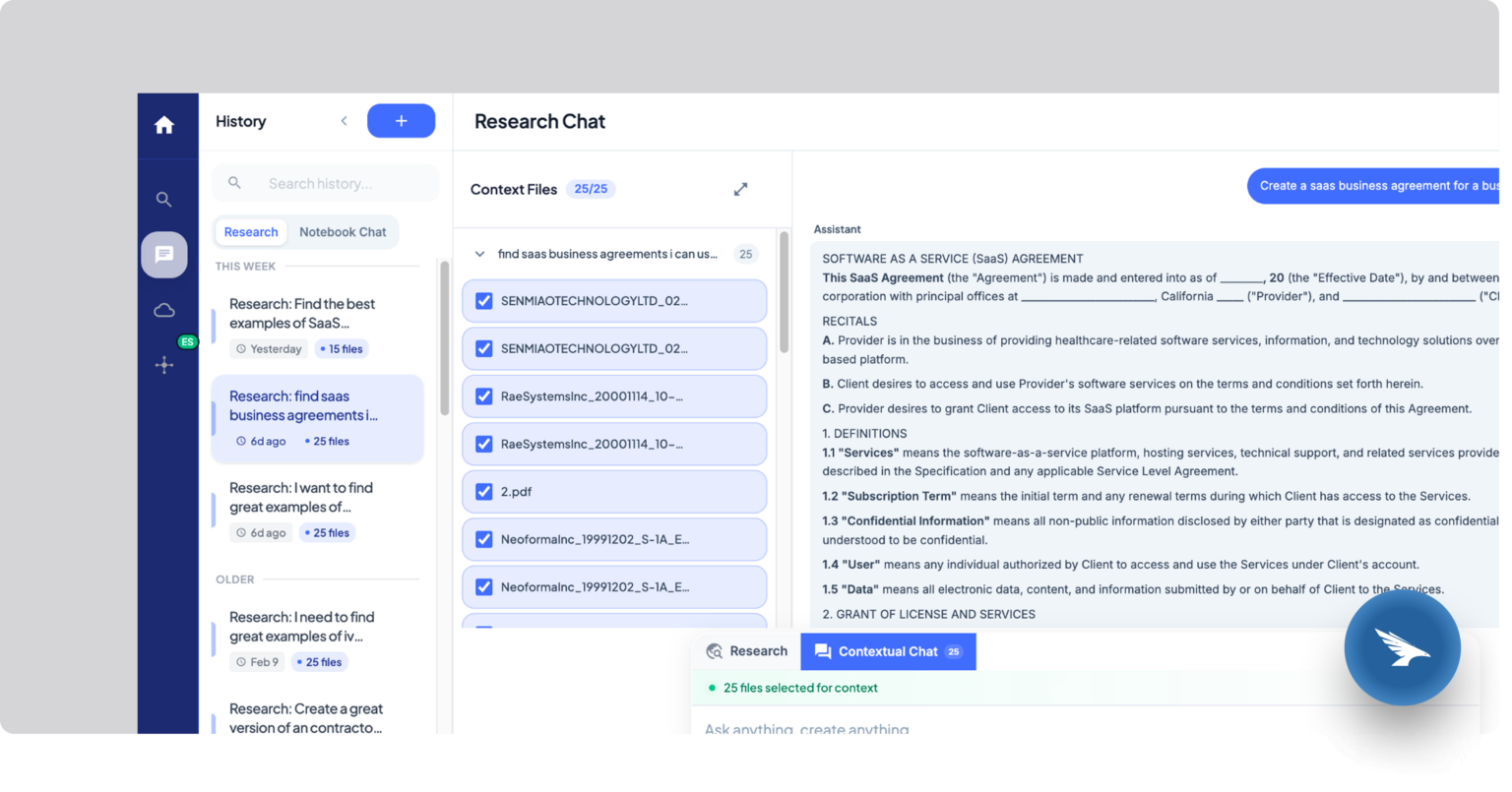
Semantic and keyword search across your firm’s own files, with filters. A search returns what you meant, even when nobody remembers what the file was called.
Chat: Ask a question, get a cited answer.
Chat directly with your document set and get answers drawn from your own files, cited back to the exact page.
Notebooks: Narrow a question to the documents that matter.
Scope a question to a curated set, like “only these 40 contracts,” and save it to reuse next time.
Security: Your files stay your files.
We search your firm’s own documents only. There’s no proprietary case library, and nothing in your files is ever used to train outside models.
Every Role in the Firm Gets Time Back
Managing Partners
Less time re-answering the same process questions, more time on strategy. New associates ramp up on firm precedent, and the partner’s billable hours stay billable.
Lawyers
Ask “what’s our standard change-of-control language” and get a cited answer in seconds. The afternoon that used to go into digging through old matters goes back on the clock.
Paralegals
The right template comes back on the first try, whether it’s buried in an old email thread or a shared drive.
Staff & Administration
Firm policies and procedures live in one place, so onboarding a new hire doesn’t mean answering the same questions every time.
Not All Knowledge Tools Work the Same Way
Most tools solve one piece of the problem. Knowledge covers all of it.
General AI
Answers from general training data. Doesn’t know your firm’s templates, precedent, or past work.
Shared Drives
Files exist somewhere, but finding the right version means asking around or searching by memory.
Legal Research Databases
Built for public case law and statutes. Doesn’t know your firm’s own contracts, precedent, or past matters.
Knowledge
Searches your firm’s own documents only, with every answer cited back to the source page.
See Where Every Answer Came From
Check the source yourself before anything goes into a memo, a redline, or a call with the client.
Knowledge is HIPAA and GDPR compliant. Every page of every document, including scans, is processed and indexed per client, so your firm’s information never mixes with anyone else’s.
See what’s already
in your files.
Bring a few contracts or a past matter to the demo. You’ll see how fast Knowledge finds what your firm already built.
Questions and Answers
How is Knowledge different from just searching our shared drive?
A shared drive stores files. Knowledge understands them, so a search for “NDA template” or “how we’ve handled this before” returns the right document, not a folder of guesses.
Does Knowledge integrate with our existing document management system?
Yes. Knowledge connects to Egnyte today, with more integrations on the way, or you can store documents directly within the platform.
Is our firm’s data used to train outside AI models?
No. We don’t have a proprietary case library and we don’t train any model on your documents. Your data stays isolated to your firm.
Is Knowledge a replacement for Westlaw or Lexis?
No, and it’s not trying to be. Knowledge searches your firm’s own documents, contracts, and precedent. For public case-law or statutory research, you’ll still use your existing legal research tools.
Can Knowledge read scanned documents?
Yes. Every page is processed with OCR, so scanned files are searchable the same as digital ones.
What happens to our documents if we stop using Knowledge?
Your firm’s documents remain yours. If you stop using the platform, your data is deleted on our side.